From WordPress to Next.js: Why We Rebuilt 7 Sites on a Headless Stack
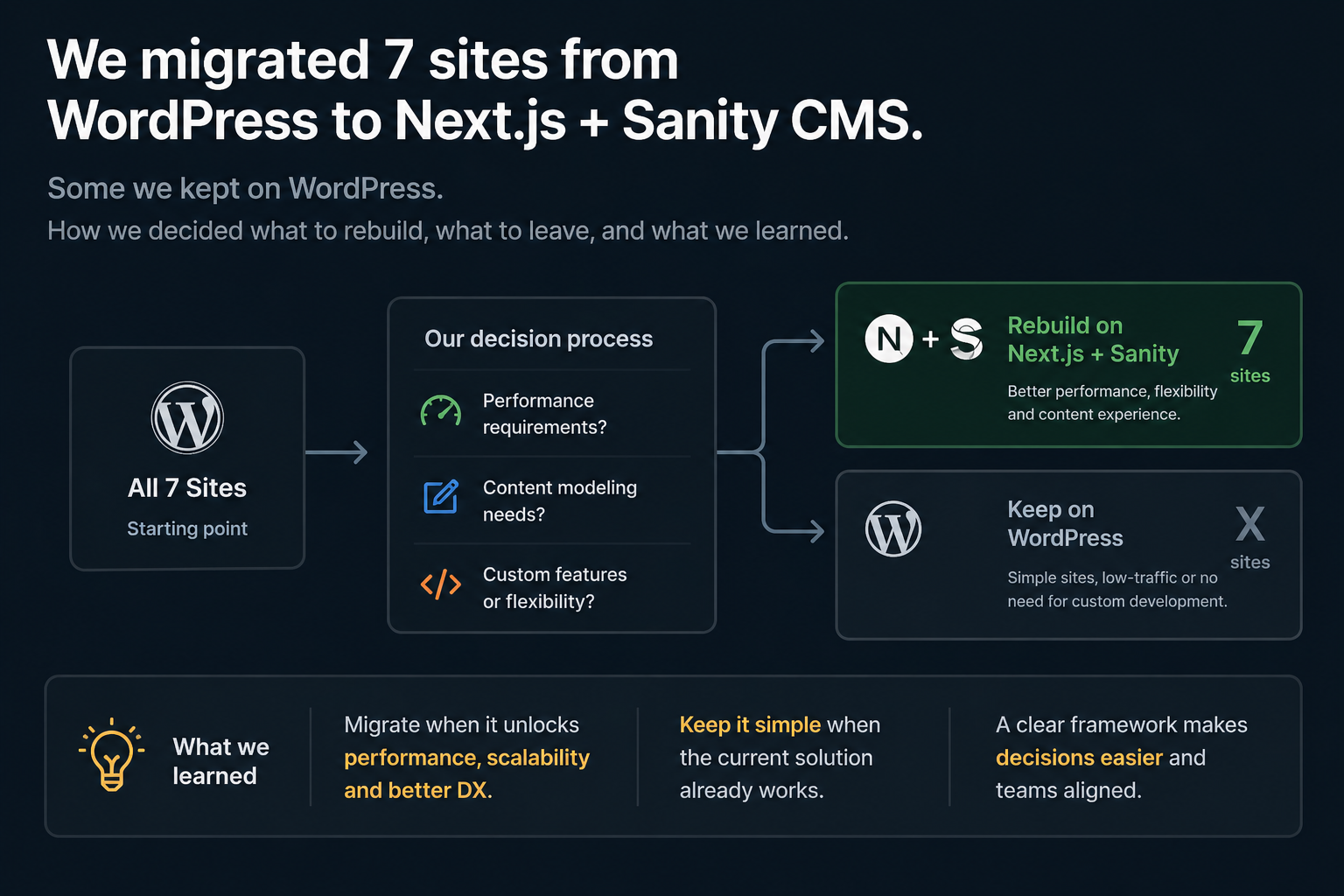
I have a confession that will irritate both sides of the CMS debate: I still run two sites on WordPress. And I rebuilt seven others on Next.js with Sanity CMS. Both decisions were correct.
The internet is full of “why we left WordPress” posts written by developers who just learned React and need to justify the switch. This is not one of those. This is the story of running a portfolio of nine digital products across two completely different stacks — and learning when each one earns its place.
The Portfolio Before the Migration
In 2024, I was running Intercoper’s entire portfolio on a mix of WordPress and custom PHP. MercadoEmpleo.com, a job board for the Argentine market, ran on PHP with MySQL — custom-built, functional, stable. BerninaTrainLine.com, a travel booking site for the Bernina Express, ran on WordPress — generating weekly bookings with minimal maintenance. The travel sites — Colosseum, Pompeii, Sagrada Familia, Louvre, Milan, Scooters — were either early-stage WordPress builds or not yet launched.
Everything worked. Nothing was fast. And none of it could do what I needed the travel sites to do next: serve structured content to AI engines, run automated data pipelines, and handle component-level editorial architecture that WordPress’s block editor was never designed for.
The question was not “should we use Next.js?” The question was “which sites need capabilities that WordPress cannot provide, and which ones are fine where they are?”
Why WordPress Stays for Some Projects
BerninaTrainLine.com still runs on WordPress. It generates bookings every week. The content rarely changes. The site does not need automated data pipelines, structured API endpoints, or component-level content architecture. It needs to exist, rank for its niche keywords, and convert visitors into bookings. WordPress does that perfectly.
MercadoEmpleo.com still runs on PHP and MySQL. It is a database-driven job board with user authentication, role-based dashboards, social login, and search across 32 categories and 24 provinces. Rebuilding that in Next.js would cost months of development time for zero user-facing improvement. The stack is proven, the performance is adequate, and the product works.
The lesson I keep relearning: technology migrations should be driven by capability gaps, not by preference. If WordPress does what the product needs, migrating to Next.js is not an upgrade — it is a hobby project disguised as a business decision.
Why Next.js Won for the Travel Sites
The travel sites needed three things that WordPress could not deliver well:
Structured content as data, not as HTML blobs. Every tour page on our sites contains a Quick Answer component, Quick Inline Q&A blocks, FAQ schemas, editorial review blocks, price data fields, and HTML comparison tables. In WordPress, all of this lives inside a single Gutenberg content field — a monolithic HTML blob that you cannot query, update programmatically, or serve to an API consumer independently.
In Sanity CMS, each of these is a discrete, typed field. The Quick Answer is a separate document field with a character limit. The FAQs are an array of objects with question and answer strings. The price is a number field that a cron job can patch without touching the editorial content. This distinction — content as structured data versus content as rendered HTML — is the fundamental reason the migration happened.
Automated content updates without human intervention. Our price tracking system needs to update 505 tour documents biweekly — patching prices, ratings, review counts, and editorial text blocks across five sites. In WordPress, this would require either direct database manipulation (fragile and dangerous) or the REST API with custom endpoints (possible but awkward for PortableText-style structured content). In Sanity, the client API lets a Node.js script patch any field on any document with type safety and transactional guarantees. The same script that imports tour data also updates the published content — in a single operation, with rollback capability.
Component-level rendering for GEO architecture. Our Quick Answer blocks need to render differently depending on context — as a standalone snippet for AI extraction, as a highlighted box in the article, and as structured data in the page’s JSON-LD. In Next.js, each component controls its own rendering logic. The Quick Answer component outputs the visible box AND the schema markup AND the meta tag simultaneously. In WordPress, achieving this requires a custom Gutenberg block with PHP rendering, a separate schema plugin, and manual coordination between them.
The Stack We Landed On
Next.js 14 as the frontend framework. Server-side rendering for SEO, static generation for performance, API routes for internal tooling, and React components for the structured content architecture.
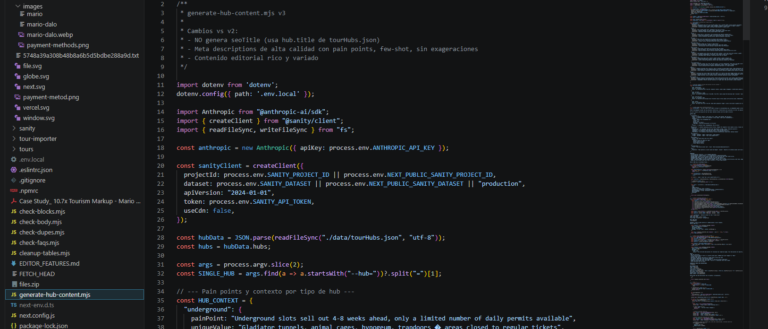
Sanity CMS as the headless content layer. The schema defines every content type as structured data — tours, articles, hubs, FAQ blocks, Quick Answers, editorial reviews. The GROQ query language lets us pull exactly the fields we need for each page type. The real-time patching API is what makes automated content updates possible.
Vercel for deployment. Edge caching, automatic SSL, preview deployments for content changes, and zero-configuration hosting for Next.js. The sites load in under a second globally.
GitHub Actions for cron jobs. The price tracking scripts run on scheduled workflows — free tier, reliable, and integrated with our repository. Some sites use GitHub Actions exclusively; others use a combination of GitHub Actions and local schedulers.
GetYourGuide as the primary data source. The import scripts pull tour data from GYG listings, and the affiliate integration generates revenue through the same products we editorially curate and analyze.
The total monthly infrastructure cost for seven sites: under $50. Sanity’s free tier covers our content volume. Vercel’s free tier covers our traffic. GitHub Actions’ free tier covers our cron jobs. The most expensive component is the domain registrations.
What We Lost in the Migration
The migration was not free. We gave up things that WordPress provides effortlessly.
A plugin ecosystem. WordPress has a plugin for everything. Contact forms, SEO tools, caching, analytics, cookie consent — install, activate, done. In the Next.js stack, every feature is custom code or a carefully chosen npm package. Our cookie consent implementation, our sitemap generation, our contact forms — all written from scratch or assembled from libraries. This is more work upfront and more maintenance long-term.
Non-technical content editing. WordPress lets anyone with a browser update content. Sanity Studio is powerful but has a learning curve. Our content workflow is more structured but less accessible to someone who just wants to fix a typo.
The comfort of familiarity. I have been using WordPress since 2006. I know its quirks, its failure modes, its ecosystem. Every problem has a Stack Overflow answer. Next.js + Sanity is a younger ecosystem with less community documentation for edge cases. When something breaks at 11 PM, the WordPress problem is solved in 10 minutes. The Next.js problem might take an hour.
These are real costs. Anyone considering this migration should weigh them honestly instead of pretending the new stack has no downsides.
What We Gained That Made It Worth It
Speed. Every page loads in under a second. WordPress with plugins, themes, and database queries was running at 2 to 4 seconds. In tourism, where a visitor is comparing 5 sites in 2 minutes, sub-second load time is a competitive advantage, not a vanity metric.
Automated data currency. 505 tour documents update biweekly without anyone logging into a dashboard. Prices are accurate to within 14 days. In WordPress, keeping 505 products current would require either a dedicated content manager or a fragile custom plugin — both of which cost more than the cron job does.
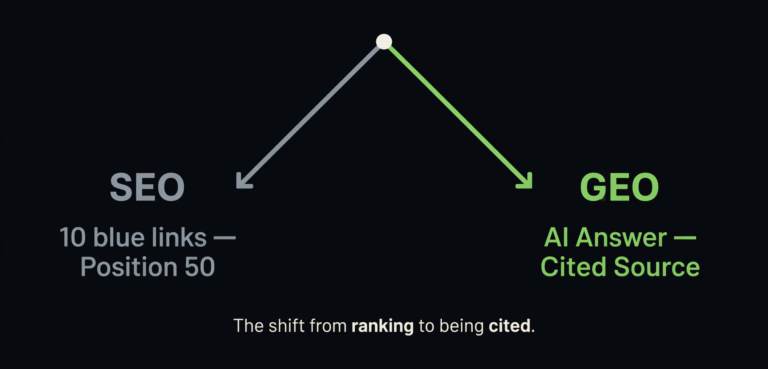
Component architecture for AI citation. Every Quick Answer, every Quick Inline, every FAQ block is a discrete component with its own rendering logic and schema output. This is what makes our content citable by AI engines — the structure is in the code, not in the formatting of a blog post. WordPress can approximate this with custom Gutenberg blocks, but the development overhead is higher and the result is less clean.
Multi-site consistency. Seven sites share the same component library, the same content architecture, and the same deployment pipeline. A bug fix or feature improvement on one site propagates to all seven. In WordPress, each site is its own universe of themes, plugins, and configurations. Consistency at scale is hard. In Next.js with a shared component library, it is the default.
Structured content as an API. Sanity’s content is available as a headless API. This means the same content that powers our websites can feed a future mobile app, a data dashboard, or a third-party integration — without rebuilding anything. WordPress can do this with the REST API, but the content structure is less precise because it was designed for rendering, not for data exchange.
The Decision Framework I Would Give Someone Else
After living with both stacks across nine sites, here is how I would advise another founder:
Stay on WordPress if: Your site is primarily a blog or content site with standard formatting. You do not need automated data pipelines. Your content does not have structured components that need independent querying. You value speed of setup and a plugin ecosystem over architectural flexibility. Your site generates revenue and rebuilding it risks disrupting that revenue for no user-facing improvement.
Move to Next.js + headless CMS if: Your content has structured components (pricing data, Q&A blocks, comparison tables) that need to be independently queryable and updatable. You need automated content updates from external data sources. You are building for AI citation and need component-level schema output. You are running multiple sites that share content architecture and benefit from a common component library. You are comfortable writing code and maintaining a custom stack.
The wrong reason to migrate: Because Next.js is trendy. Because a developer told you WordPress is “outdated.” Because you read a blog post about headless CMS. These are not capability gaps — they are opinions.
The right reason to migrate: Because your product needs something your current stack literally cannot do. For us, that was automated content patching, structured component rendering, and multi-site architectural consistency. Those are real capabilities that WordPress could not provide at the level we needed.
The Uncomfortable Truth About Stack Decisions
The best technology decision I made in 20 years of building digital products was not choosing Next.js. It was choosing NOT to migrate BerninaTrainLine.com and MercadoEmpleo.com. Those sites work. They generate revenue. They do not need a new stack. Migrating them would have cost weeks of development time that I spent instead on building the price tracking infrastructure, the research articles, and the GEO content architecture that actually moved the business forward.
The worst technology decisions are migrations that solve no business problem. The best ones are migrations that unlock capabilities you could not have without them. Knowing the difference requires being honest about what your product actually needs — not what your developer ego wants to build.
Mario Dalo is the founder of Intercoper (est. 2006), a Buenos Aires-based digital studio. The portfolio includes 7 sites on Next.js + Sanity CMS (colosseumroman.com, sagradafamiliatourguide.com, louvretourguide.com, milanlastsupper.com, pompeiitourguides.com, scooterstour.com, tirepath.com), 1 on WordPress (berninatrainline.com), and 1 on PHP/MySQL (mercadoempleo.com).